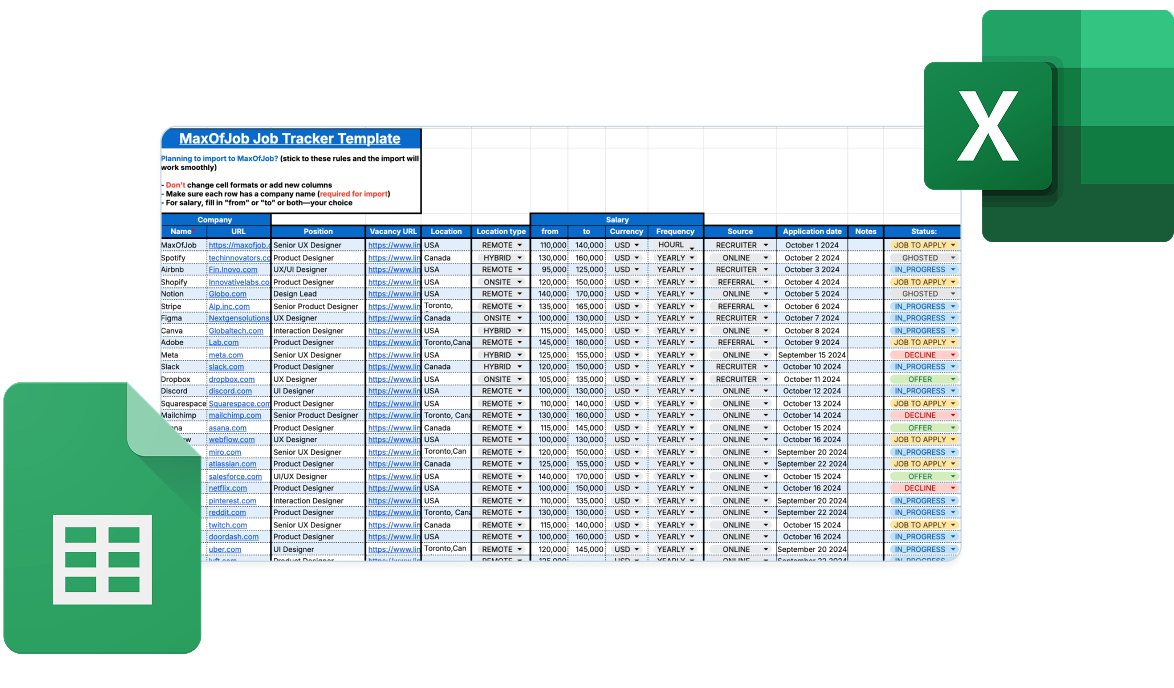
Free Job Application Tracker Spreadsheet Template

Get a free job application tracker template for Google Sheets. Works in Excel too. Track your applications, interviews, and status updates in one spreadsheet.
Job Application Tracker Spreadsheet Template Screenshot

Try Job Application Spreadsheet

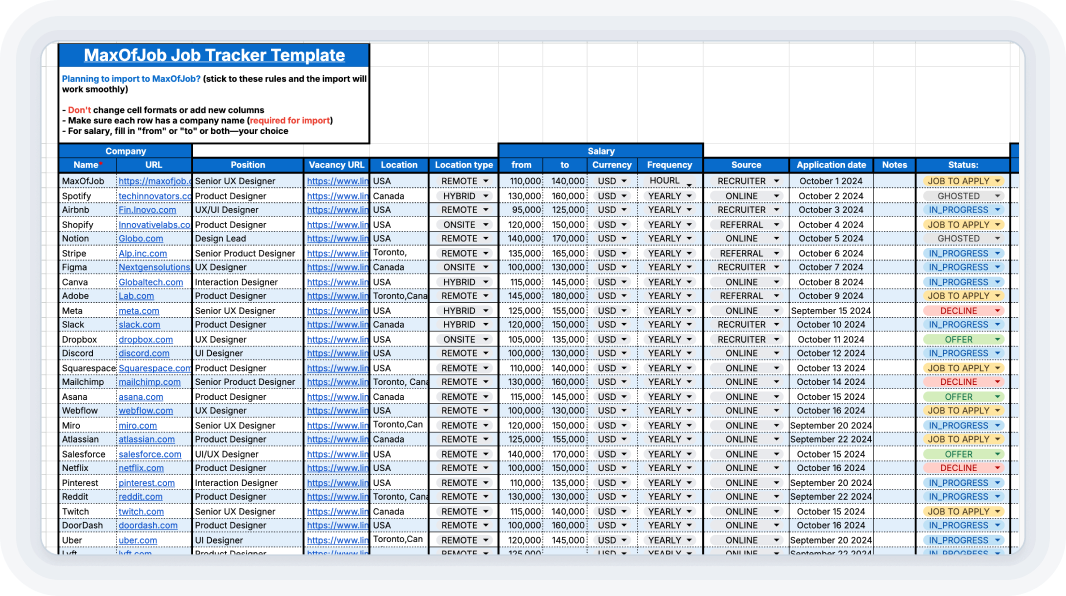
You get fields for company name, position, application date, contacts, salary range, and status.

This job application spreadsheet template has everything pre-built—just make your copy and start filling it in.
google_sheets_example

Click the button—it opens in Google Sheets.  Save a copy to your Drive through "File > Make a copy"  Want Excel instead? Export your copy as .xlsx after you've saved it.

Get Free Template
google_sheets_example

Click the button—it opens in Google Sheets.  Save a copy to your Drive through "File > Make a copy"  Want Excel instead? Export your copy as .xlsx after you've saved it.

Why You'll Love This Template

Here's what makes this job tracker spreadsheet worth using.

Simple and Intuitive Layout

Company, role, date, contacts, salary, status, notes—it's all set up. This job application spreadsheet covers the basics without overcomplicating things. Fill in what's relevant for each job.
Leave the rest empty if you don't have that info yet. No formulas to learn, no setup required.

Track Status and Interviews

Mark applications as Job to Apply, In Progress, Offer, Rejected, or Ghosted using dropdown menus.
Each application row also holds up to 8 interview rounds with date, time, step title, and notes fields. Everything stays together instead of spread across different files.

Google Sheets and Excel

Prefer Excel? Make your copy first, then export as .xlsx through "File > Download > Microsoft Excel."
Whether you use the job application tracker excel version or stick with Google Sheets, everything works identically once exported. Use whatever you're comfortable with.

Visual Progress Indicators

Color-coded cells make scanning faster. Green for offers, blue for in-progress applications, red for rejections, yellow for jobs to apply, grey for ghosted. You'll spot what needs attention without reading every row.

Free and Fully Customizable

This job application excel tracker costs nothing. Whether you're using the excel job application tracker format or the Google Sheets version, the template is fully editable—adjust formatting, change status categories. Track as many applications as you want.

Import to MaxOfJob Anytime

This template imports directly into MaxOfJob when you're ready for more features. Just keep the cell formats as they are, don't add new cells, and make sure each row has a company name. Salary fields can be partial—fill in "from" or "to" or both.

Who Can Use This Spreadsheet Template?

cat with leaves sticker

Job Seekers

This job application tracker template keeps everything in one place. Filter by status, sort by date, keep notes on each opportunity. You won't lose track of follow-ups or mix up which company is which.

Career Coaches

Share this template with clients as a starting point. Simple enough for beginners but customizable for specific industries. Reviewing client progress gets easier when everything's in one sheet.
dog with a hat sticker

Students and Recent Graduates

First job search means building organizational habits early. This job search spreadsheet gives you structure without being complicated. Good skills to have for the rest of your career.

Try it out! Now

Get your free job application tracker template and start organizing your search today.

cat and dog whith platform screen on background

More MaxOfJob Features

Start with this spreadsheet, then import your data into MaxOfJob when you need more features.

Got questions?

Frequently Asked Questions

Is the template free?

Yes, completely free. No hidden costs, no credit card required. Use it with no limitations on features or number of applications you can track.

Can I use it in both Excel and Google Sheets?

It's a Google Sheets file, so you'll open and copy it there first. After that, go to "File > Download > Microsoft Excel" if you want the .xlsx version. Same layout, same formulas—nothing breaks.

How do I download and start using the template?

Click the link—it opens in Google Sheets. Then "File > Make a copy" puts it in your Drive. That's it, you're ready to start adding jobs.

How much does the job tracker cost?

text

Can I edit or customize the spreadsheet layout?

Yes. Add columns, delete them, change the status options, adjust colors. It's your copy so set it up however works for your search.